


Multiple order sources
Create an order in SayerX, receive it from a supported store or warehouse connection, create from panel or submit it through the API.
A clear view of every incoming order
Capture orders from your dashboard, connected stores or API. Review addresses and payment details, update statuses and handle multiple orders together before handing them off for delivery.
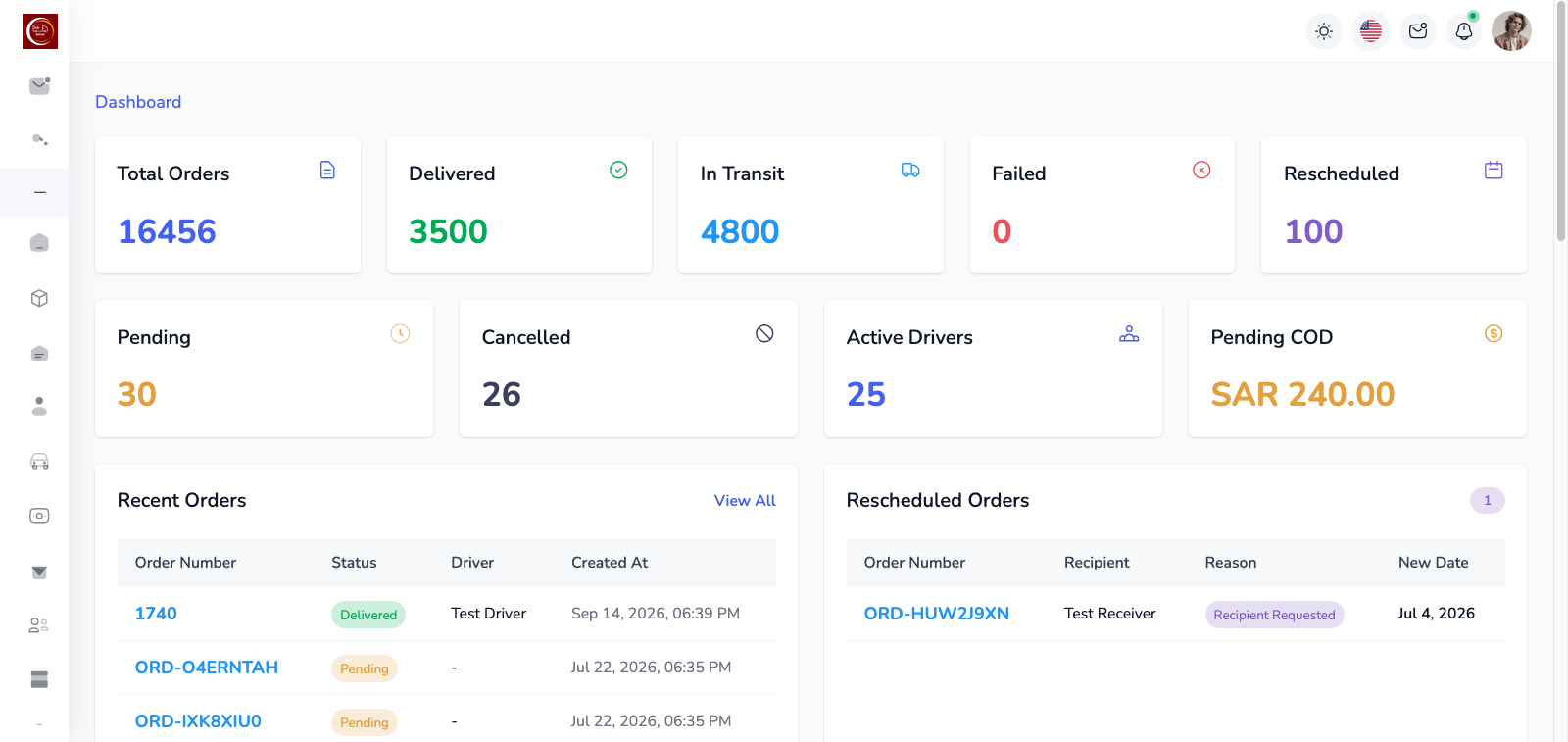
Order management software gives your team a shared record for each order, from the moment it enters SayerX. Review customer and address details, check payment information, update the status and find the orders that need action without working across spreadsheets.
Enter an order in the dashboard, receive it through a supported store or warehouse connection, or send it through the API. Your team can review incoming records and prepare them for assignment from the same order list.
Explore delivery management software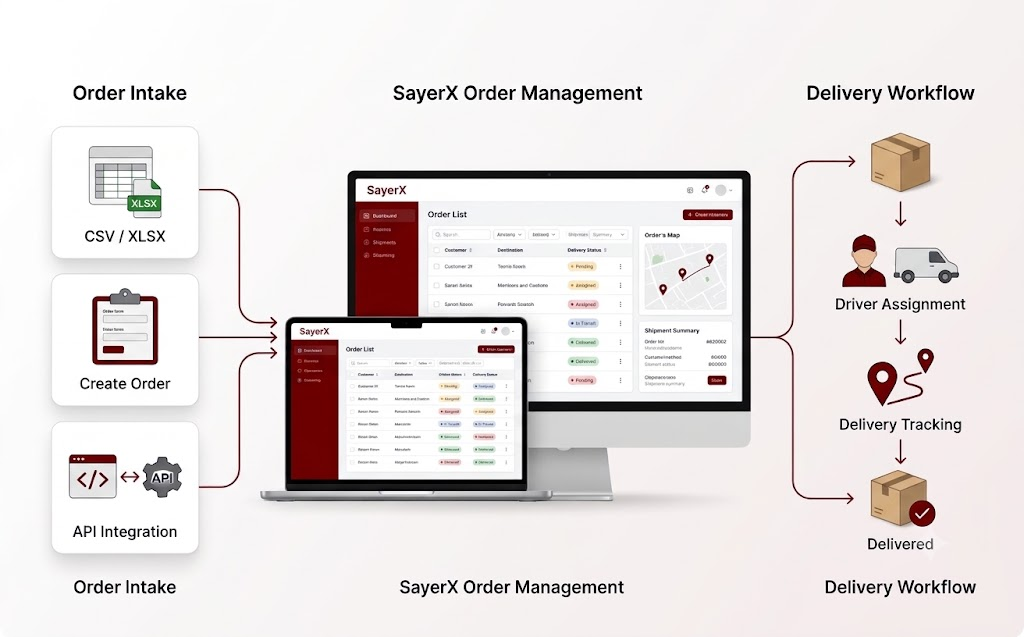
Give your team the details and actions it needs before an order goes out for delivery.
Create an order in SayerX, receive it from a supported store or warehouse connection, create from panel or submit it through the API.
Keep customer details, delivery address, payment method and order instructions together for your team to review.
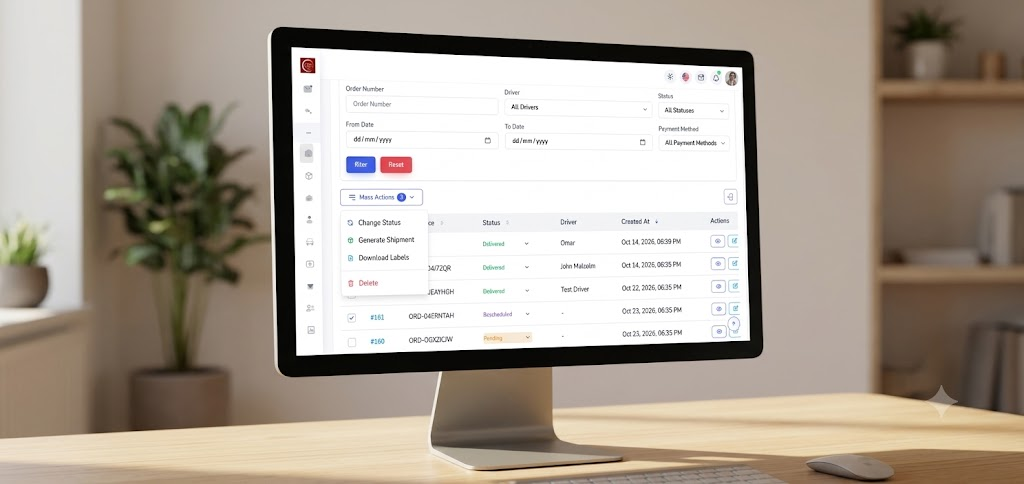
Find orders by their details and apply supported updates or assignments to multiple orders at once.
See which orders are pending, assigned, in transit, delivered or require another action.
Check delivery information before assignment and request a customer location when an address needs more detail.
Review each order before choosing a driver or supported carrier, or let configured rules assign eligible orders.
Follow status changes and delivery progress from the order record when your team needs to answer a customer question.
See the payment method on the order and review collection records after delivery. When online payment methods are configured, a driver can offer a payment link or QR code at delivery.
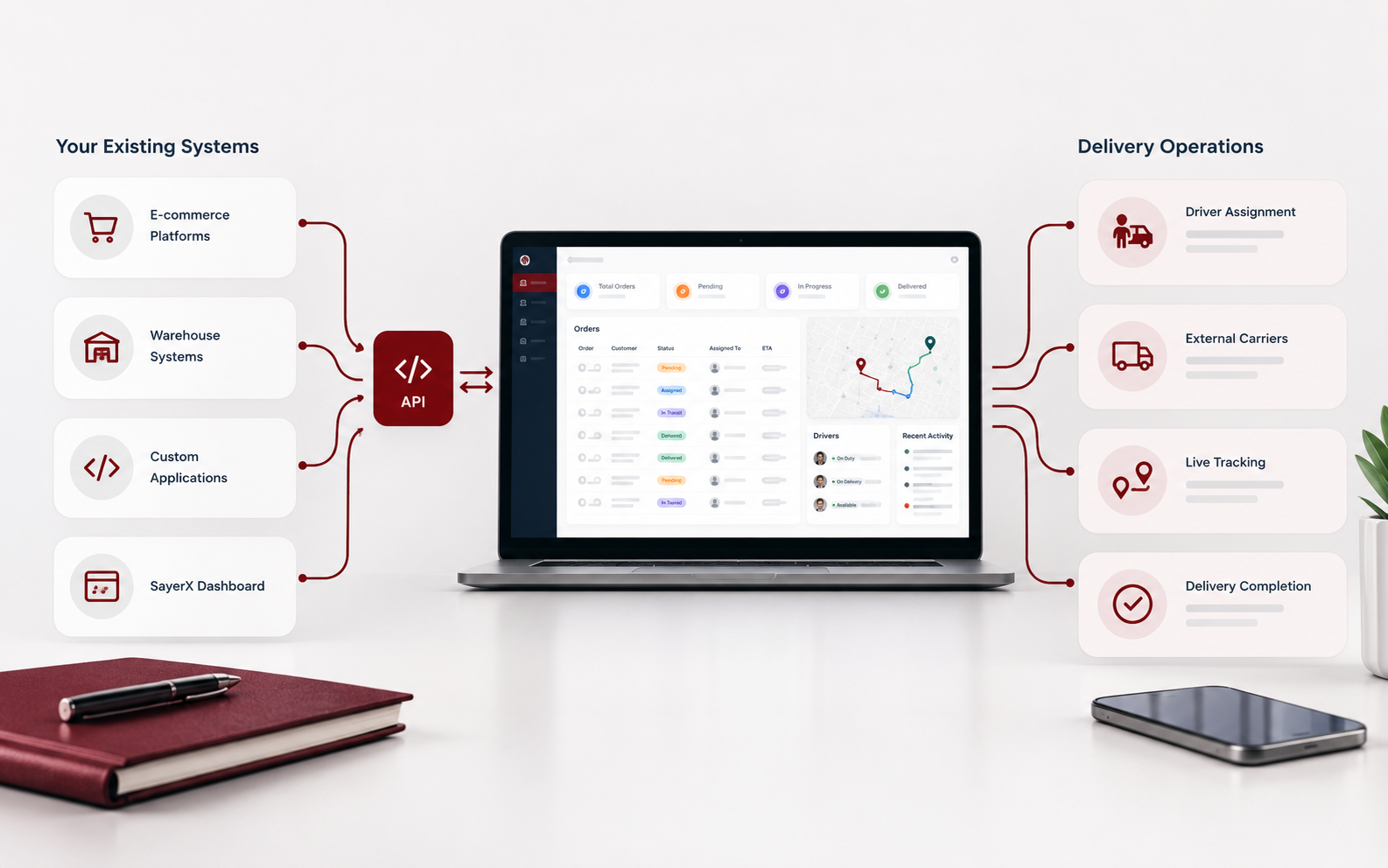
Bring orders into SayerX through supported Salla and Bagisto connections, ShipHero warehouse integration or the API. Teams can also create orders directly in the dashboard.
Tell us how orders reach your team today. We can review the fields and handoff you need, then discuss a connection for your store or warehouse software.
Discuss your order sourceCreate an order in the dashboard or receive it from a supported connection or the API.
Review the customer, address, payment method and instructions before the order moves forward.
Filter by status, update orders in bulk and identify the ones that need attention.
Assign eligible orders to a driver or supported carrier and keep their status visible to your team.
It gives your team one place to receive orders, check their details, update statuses and prepare them for delivery. SayerX keeps the order record available as work progresses.
Yes. Your team can create orders in the SayerX dashboard and receive orders through the API. Supported store and warehouse connections can also bring orders into the workflow.
SayerX supports Salla and Bagisto store connections and ShipHero warehouse integration. For other platforms, we can review your workflow and discuss a custom API integration.
Yes. After reviewing an order, you can assign it to your driver or a supported external carrier. Configured rules can also assign eligible orders.
Yes. Filter the order list, select the records you need and use the available bulk update or assignment actions.
The order record includes its payment method. After delivery, your team can review cash collection records; configured online payment methods also support payment at delivery.
See how SayerX brings incoming orders, their details, statuses and bulk actions into one place for your operations team.
Book a Demo